Quick answer
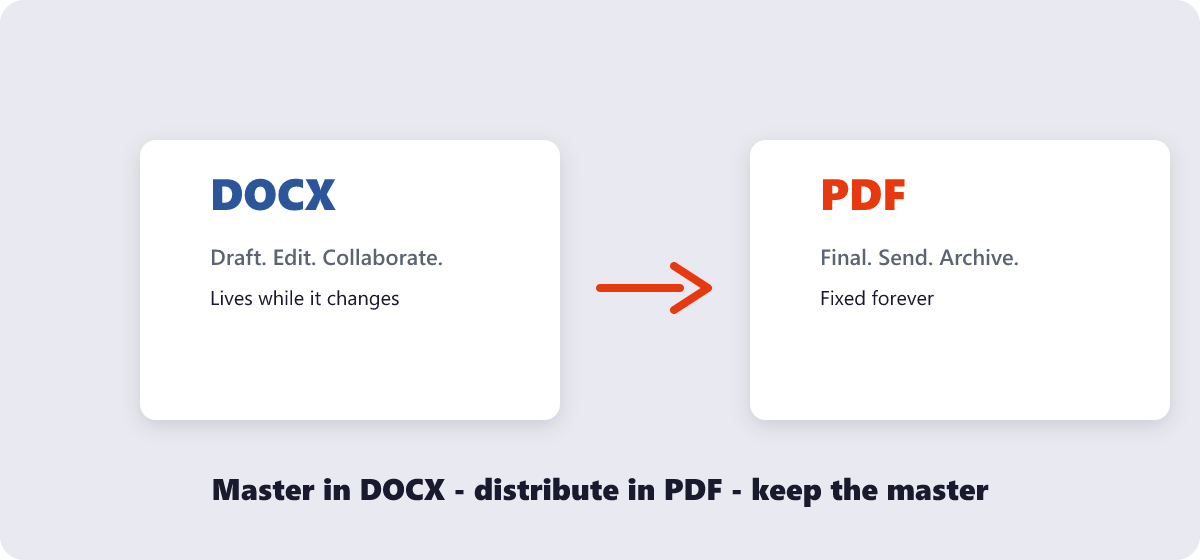
Write and edit in DOCX; share and finalize as PDF. DOCX is for documents that will still change — drafting, comments, collaboration. PDF is for documents that must look identical everywhere — applications, contracts, invoices, CVs. Convert between them free with PDF to Word or Word to PDF.
PDF and DOCX are not rivals — they are two halves of the same document’s life. The file starts as an editable draft (DOCX) and ends as a fixed, shareable artifact (PDF). Problems start when a file lives in the wrong half: a CV sent as DOCX that renders differently on the recruiter’s machine, or a contract sent as DOCX that someone edits by accident. Here is how each format actually works, and how to choose per situation instead of by habit.
What’s covered:
- How they differ under the hood
- When PDF wins
- When DOCX wins
- The biggest misconception about PDF
- A scenario-by-scenario chooser
- PDF vs DOCX questions
How they differ under the hood
DOCX is Microsoft’s Open XML word-processing format: the file stores instructions — “this paragraph is 11pt Calibri”, “this image floats here”. Every application assembles those instructions slightly differently, which is why a DOCX can look perfect on your machine and subtly wrong on someone else’s: missing fonts, reflowed lines, shifted tables.
PDF stores the result — each page is a fixed canvas with text, vectors and images painted into exact positions. That is why PDF looks the same on every device, why it is the format of contracts and print shops, and also why editing one feels like un-baking a cake.
| Property | DOCX | |
|---|---|---|
| Layout | Reflowable — depends on fonts and app | Fixed — identical everywhere |
| Editing | The whole point of the format | Possible but clumsy; needs tools |
| Fonts | Must exist on the viewer’s device | Can be embedded in the file |
| Signing & forms | Rare | Native (signatures, form fields) |
| Typical size | Small for text-only drafts | Larger; compressible |
When PDF wins
Reach for PDF the moment a document stops changing and starts traveling:
- Applications and CVs. Recruiters open files on unknown devices; PDF is the only format that guarantees your careful layout survives the trip.
- Contracts and agreements. The whole point is that the words cannot silently shift. A DOCX contract is an invitation to drift.
- Invoices, receipts, statements. Financial records should be fixed and tamper-resistant, with numbering that stays put.
- Anything for print. Print shops and office printers expect PDF because the layout is baked.
- Official submissions. Portals standardize on PDF precisely because it behaves predictably.
When DOCX wins
DOCX is the correct format while the document is still a process rather than a record:
- Drafting and iterating. Typing, restructuring and formatting are what word processors are built for.
- Collaboration. Track changes, comments and suggestions live in DOCX workflows; PDF annotations are a poor substitute for real editing.
- Templates. Anything a team will reuse and refill — letterheads, report shells, proposal skeletons.
- Long documents you keep editing. Maintaining a 60-page manual as PDF means re-exporting after every fix; keeping the DOCX master and exporting on demand is the sustainable pattern.
The biggest misconception about PDF
People treat PDF as “the final version of a Word file” — a heavier DOCX with a lock icon. That framing causes two recurring mistakes. First, exporting to PDF before the document is truly final, then discovering a typo and having no editable master handy (the fix is always converting back with PDF to Word — workable, but you just added a lossy round trip). Second, sharing DOCX with strangers to “let them see it”, which is how fonts break and accidental edits happen. The healthy rule: master in DOCX, distribute in PDF, and keep the master.
My honest opinion after years of watching this: most “PDF editing” needs are actually “I exported too early” needs. The workflow fix — draft longer, export later, archive the master — eliminates the majority of convert-back-and-forth cycles people put themselves through.
A scenario-by-scenario chooser
| Scenario | Send as | Why |
|---|---|---|
| Job application | Layout must survive unknown machines | |
| Draft to a colleague for comments | DOCX | They need to edit and track changes |
| Signed contract for records | Fixed text, signature support | |
| Team template for weekly reports | DOCX | Refilled every week |
| Invoice to a client | Numbers should not reflow | |
| Novel manuscript to an editor | DOCX | Editors work in tracked changes |
When a file is stranded in the wrong format, the conversions go both ways: PDF to Word rescues PDFs that need editing, and Word to PDF finalizes drafts for sending. Also worth knowing: Excel and PowerPoint files follow the same life-cycle logic — see the Excel to PDF and PowerPoint to PDF tools for those.
PDF vs DOCX questions
Can I edit a PDF like a Word document?
Partly. Converting a text-based PDF to DOCX gives you editable paragraphs that closely match the original — tables, images and layout carry over, though complex designs may need cleanup. Scanned PDFs need OCR first.
Which format is more secure?
PDF supports password protection and permission restrictions natively; DOCX has password options too, but PDF’s fixed layout makes accidental modification harder in the first place. For documents you do not want altered, PDF plus a password is the standard combination.
Why does my DOCX look different on another computer?
Because DOCX stores instructions, not appearances. If the viewer’s machine lacks your fonts or uses a different word processor version, lines reflow and spacing shifts. Exporting to PDF freezes the layout before it can drift.
Does converting DOCX to PDF lose quality?
No — export renders the document at full quality into the fixed layout. Text stays sharp and selectable. The only losses are dynamic features like animations, tracked changes and live form behavior.
Which format is better for archiving?
PDF, specifically the PDF/A variant designed for long-term storage: it embeds fonts and avoids external dependencies so the file opens identically decades later. The PDF to PDF/A tool handles that conversion.
Is PDF smaller than DOCX?
Not necessarily. Text-only DOCX files are often smaller than their PDF exports. Image-heavy documents favor PDF, and PDF compresses far better overall — the Compress PDF tool can shrink an exported PDF to a fraction of its size.
Last updated: September 19, 2026. Both converters mentioned here are free, browser-based and need no account.
