Quick answer
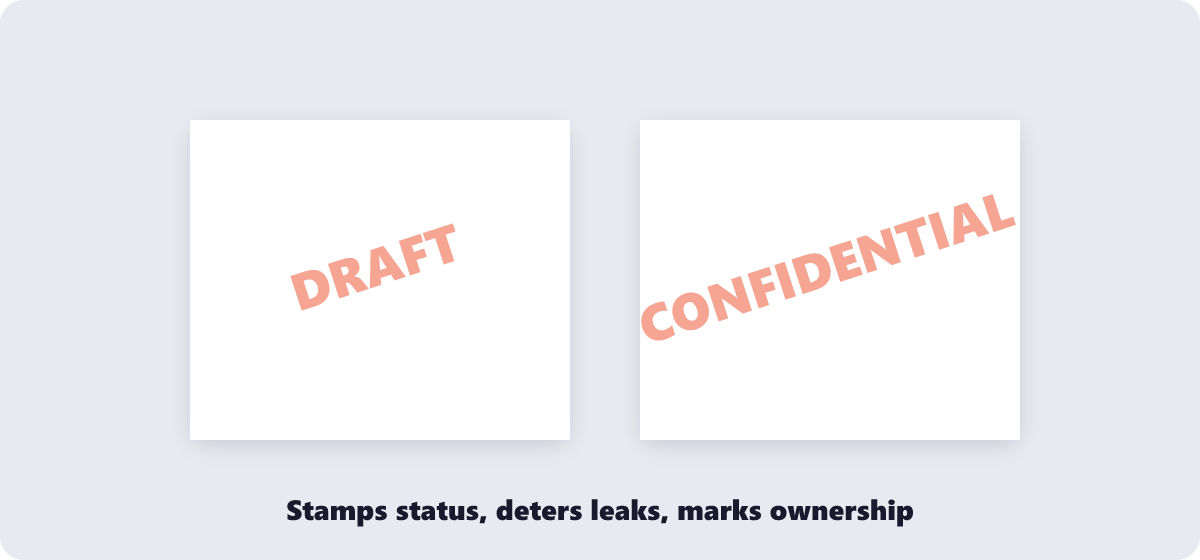
Text or logo, your choice: open the free Watermark PDF tool, type your stamp (DRAFT, CONFIDENTIAL, your company name) or upload a logo, adjust position and opacity, and apply it to every page at once. Watermarking runs in your browser — the document never leaves your device.
A watermark is one of those things that takes thirty seconds and prevents weeks of “wait, is this the final version?” — or worse, “where did you get our pricing sheet?” Whether you are marking drafts, protecting portfolio work, or stamping internal-only documents before they circulate, here is how to do it properly, and an honest word about what a watermark can and cannot protect.
What’s covered:
- The four jobs a watermark actually does
- Watermarking a PDF, step by step
- Text stamp or logo image — which fits
- What a watermark does not protect you from
- Watermarking questions
The four jobs a watermark actually does
| Watermark | Job | Typical opacity |
|---|---|---|
| DRAFT | Stops unfinished versions being mistaken for final ones | Light — readable but unmissable |
| CONFIDENTIAL / INTERNAL | Signals handling rules before someone forwards it | Medium |
| Company name or logo | Ownership and brand presence on shared work | Subtle |
| Client name on proofs | Approvals-only copies of paid work | Medium to heavy |
Watermarking a PDF, step by step
- Open the free Watermark PDF tool and drop the document in.
- Type the watermark text — or upload a logo image to use instead.
- Position it (center, corner, or anywhere) and set the opacity so it reads without burying the content underneath.
- Apply to every page or just the selected ones, then download the stamped file. Processing runs in your browser, so confidential documents never leave your device.
Text stamp or logo image — which fits
Text stamps (DRAFT, CONFIDENTIAL, QUOTATION — or a recipient’s name) are the right choice for status marking: they are unambiguous, quick to change per copy, and read instantly even at low opacity. Named-per-copy watermarks — stamping “Prepared for Acme Corp” on each proof — are the strongest polite deterrent, because leaked copies identify exactly which copy leaked.
Logo images are the right choice for ownership and brand presence: a portfolio, a price list, a lookbook that will circulate for months. Logos survive low opacity better than text does, and they brand without shouting. One practical note: export the logo as a PNG with transparency, or the white box behind it will show on every page.
What a watermark does not protect you from
An opinion worth stating before you rely on one: a watermark deters casual misuse and identifies the source of a leak — it does not prevent anything. Someone determined can crop, cover or edit a watermark out of a PDF with editing tools; determined actors are what actual PDF security (passwords and permissions, via the Protect PDF tool) is for. The realistic ranking of protection:
- Watermark: deters casual sharing, identifies leaks, marks status. The right tool for drafts and proofs.
- Password + permissions: blocks opening, printing or copying — the right tool for confidential distribution.
- Both together: watermark for attribution, password for access control. Serious documents deserve the pair.
And one removal note, same honesty in the other direction: a watermark you apply with this tool cannot be cleanly removed later by you — it is merged into the page. Keep an unwatermarked master, exactly as you would keep the original before any permanent edit.
Watermarking questions
How do I add a watermark to a PDF for free?
Use a browser-based watermark tool: load the file, type your text or upload a logo, set position and opacity, apply, download. The Watermark PDF tool does all of it without an account and processes the file locally.
Can I watermark every page at once?
Yes — apply the stamp to the whole document in one pass, or restrict it to selected pages only if, for example, only the financial pages need the CONFIDENTIAL mark.
How transparent should a watermark be?
Transparent enough to read the text underneath, opaque enough to notice in two seconds. For status stamps (DRAFT, CONFIDENTIAL), err visible; for ownership logos, err subtle. The live preview settles it faster than any rule.
Can I remove a watermark after applying it?
Not cleanly — the watermark becomes part of the page content once saved. This is why the standard practice is watermarking a copy and keeping a clean master for when the document goes final.
Does a watermark legally protect my work?
It asserts ownership publicly and helps trace leaks, but it is not a registration or a copyright by itself. It is the visible layer of protection; actual legal protection comes from the rights you hold in the work.
Can I use my own logo as the watermark?
Yes — upload the logo image (PNG with transparency works best) instead of typing text, then position and scale it. The logo applies to the chosen pages exactly like a text stamp.
Last updated: September 19, 2026. The Watermark PDF tool here is free, runs in your browser, and applies watermarks with no watermark of its own.
